
ChatBox: AI Chat Bot Assistant
FLORATE LIMITEDProductivity
4.31.31K Reviews
- Version
- 1.108.0
- Installs
- 5.00M
- Age Rating
- Everyone
Screenshots
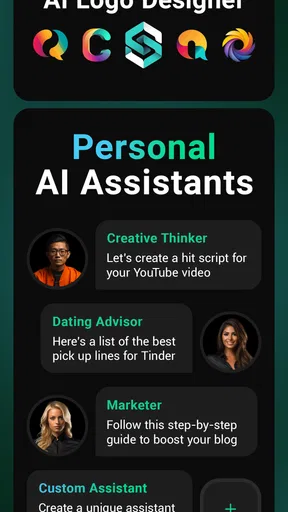
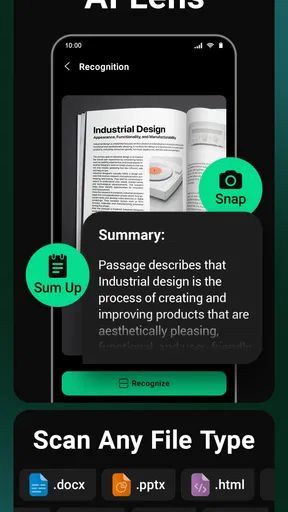
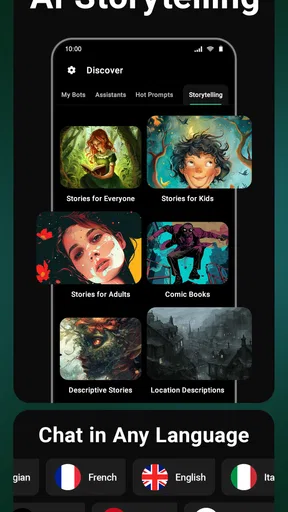
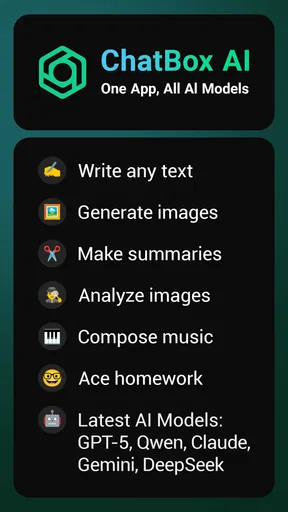
Our Review of ChatBox: AI Chat Bot Assistant
 Analysis by Appyee
I like the idea of keeping a few AI tasks in one place, but convenience is only part of the decision. With any assistant that invites you to type questions, drafts, or personal details, I first think about what I’m comfortable sharing and what the app actually lets me control. ChatBox: AI Chat Bot Assistant is a free productivity app from FLORATE LIMITED, and its appeal is straightforward: it offers a single place to interact with AI rather than making every task start with a separate tool.
A practical trust check before you begin
It helps to separate what an AI assistant can do from what you should trust it with. A fluent answer is not proof that the system understands your situation, and a polished response is not a promise that sensitive text will be handled in a particular way. I use an assistant like this for low-stakes work first, then decide whether its results and available choices suit my routine.
For example, asking for a neutral rewrite of a note is different from pasting a private conversation, a work document, or personal account details. I’d keep identifiable or confidential information out of prompts unless I had checked the app’s current privacy information and felt comfortable with it. That is a sensible boundary for any AI chat tool, not a claim about how this particular app stores or processes data.
What to check in the app, not assume
When deciding whether to keep ChatBox, I would look at the choices actually shown in the app: whether it offers account controls, what options are available for managing chat history, and what permissions it requests for the tasks I want to use. I wouldn’t grant access just because a prompt appears; I’d consider whether that permission is necessary for what I’m doing and skip it if it isn’t.
Those checks matter because an all-purpose assistant can encourage people to use it for many kinds of work. A quick brainstorming prompt may feel harmless, while a document containing names or private business details deserves more care. My rule is simple: share only the minimum text needed to get a useful answer, and review the available controls before making the app part of a sensitive workflow.
Getting Started with ChatBox
First things first, let’s talk about setting up. Downloading the app is a breeze. Whether you’re on Android or iOS, just head over to your app store, hit download, and you’re good to go. Once it’s installed, setting it up is as simple as pie. You don't need to jump through hoops—just a couple of taps and you're ready to chat with your new AI buddy.
The interface is super intuitive. I mean, you'll feel right at home the moment you open the app. It’s clean, bright, and everything's laid out just where you'd expect it to be. There’s no clutter, which is a big plus in my book.
Features Galore
Now, let's dive into what makes ChatBox stand out. This app is packed with useful features that cater to just about anyone. Need help with scheduling? It’s got you covered. Want to set up reminders? Easy peasy. Looking for some daily motivation? ChatBox has a ton of quotes and tips to keep you inspired.
One of the coolest things is its language processing capabilities. It understands and responds in a very natural way, almost like chatting with a human. It's smart enough to pick up on context, which makes interactions feel smooth and natural. You can even ask it to tell jokes or play games if you’re in the mood for some fun.
Making one conversation more useful
A useful way to approach an AI chat is to treat the first prompt as a rough brief, not a one-shot command. If I want help planning a busy day, I’d state the fixed commitments, the tasks that can move, and the amount of time I have. Then I’d ask for a draft schedule and correct anything it misunderstood. That small back-and-forth is often more practical than asking for a perfect plan with no context.
The same approach works for writing. I might ask for three subject-line options, choose the one closest to my intent, and request a shorter version in a warmer tone. The trade-off is that each extra turn takes time, and a confident answer can still miss a constraint. I’d check names, dates, calculations, and factual claims rather than copying a response straight into important work.
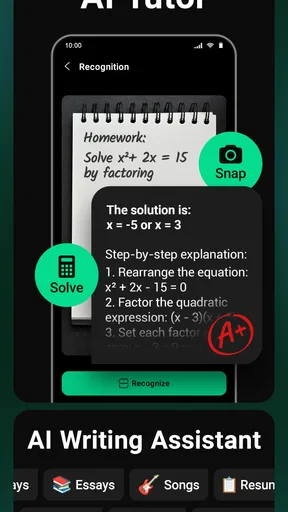
For study, it can be more helpful to ask for an explanation or a set of practice questions than to request a finished answer to submit. That keeps the conversation focused on learning and makes it easier to spot gaps in understanding. I’d still compare important information with class materials, especially when an answer needs to be precise.
Who’s It For?
Honestly, who wouldn’t benefit from a little extra help? Students can use it to keep track of assignments, professionals might find it handy to organize meetings, and anyone else can use it to manage their daily tasks. It’s like a Swiss Army knife for your digital life.
And let’s not forget about accessibility. The app supports multiple languages, which is fantastic. It doesn’t matter if English isn’t your first language; ChatBox has got your back. Plus, the developers are constantly updating it with new features, so it always feels fresh.
A realistic day-to-day test
Imagine I have a meeting in the afternoon, a few errands to fit in, and an unfinished message to send. I could ask for a sensible order for the errands, use a separate prompt to make the message clearer, then review the plan against the actual travel time and my calendar. The benefit is getting a quick starting point without switching between several AI chat services. The important limitation is that the assistant’s suggestion is not a verified calendar entry or a guarantee that the plan will work in the real world.
This distinction also answers a common question: should I rely on it to remember or carry out a task? I’d treat its suggestions as text unless the app visibly offers the specific action I need and I can confirm it has been completed. If I need dependable alarms, calendar syncing, or automatic task tracking, a dedicated calendar or reminders app is the safer choice.
Where it fits beside other tools
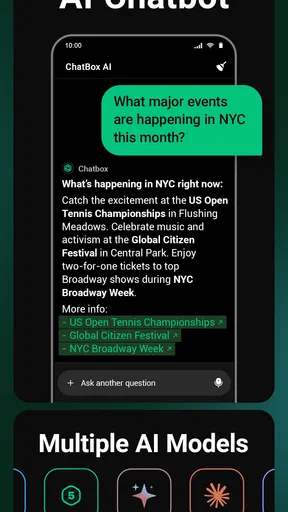
Compared with opening a separate chatbot for each kind of prompt, a multi-model assistant can be convenient when I want to explore different approaches from one place. That convenience is most useful for everyday brainstorming, drafting, and questions that benefit from a quick conversational exchange. It does not automatically make it better than a specialist tool: a notes app is usually better for organizing durable reference material, while a calendar is better for managing time-based commitments.
If I already have a preferred AI service and use its features deeply, moving to an all-in-one app may add little unless its selection of models or workflow genuinely saves me effort. I’d test it on the same ordinary task I already know how to do, then compare answer quality, ease of follow-up, and any usage limits I encounter. That gives a more useful basis for choosing than assuming every assistant will respond equally well.
Performance and Reliability
In terms of performance, I’ve found ChatBox to be pretty solid. It’s fast, responsive, and doesn’t crash—which is more than I can say for a lot of apps out there. Battery drain? Minimal. It’s optimized to run efficiently, so you don’t have to worry about it draining your phone’s power too quickly.
Reliability is key with an app like this, and ChatBox delivers. It’s there when you need it, without any annoying hiccups. I haven’t encountered any bugs or issues during my time using it, which speaks volumes about the quality of the development.
Free to try, with costs to weigh
The app is free to install, so I can judge whether its basic workflow suits me before paying. Optional in-app purchases range from $4.99 to $99.99 per item, which is a wide enough spread that I’d check the exact purchase and terms shown in the app rather than assume every paid option costs the same or unlocks the same things. I’d also think about how often I expect to use the extra capabilities: occasional prompts may not justify spending, while regular use could make a paid option more worthwhile.
It has a 4.5 average from around 95,000 ratings, with about 1,300 written reviews and over 5 million installs. Those figures suggest it has found a substantial audience, but they can’t tell me whether its answers fit my particular needs. The app is rated for Everyone, and the current version is 1.89.6; it was released on April 14, 2023, and requires Android 10 or newer. I’d still check compatibility on my device before installing.
What Could Be Better?
Okay, so no app is perfect, and ChatBox is no exception. While it’s packed with features, there are moments when it might take a second longer to understand a particularly complex request. But hey, it’s constantly learning and improving, so I’m pretty optimistic about future updates smoothing things out.
Another thing to note is that while the free version is quite robust, some premium features are locked behind a paywall. If you’re someone who likes to have all the bells and whistles, you might consider investing in a subscription.
Who may be happier elsewhere
I’d skip it if my main need were guaranteed accuracy, formal research with traceable sources, or a tool that automatically manages appointments and reminders. A conversational answer can be a helpful first draft, but it is not a substitute for checking trustworthy references or using software built specifically for those jobs. I’d also be cautious if I needed to enter sensitive work or personal information and hadn’t reviewed the choices and privacy terms available in the app.
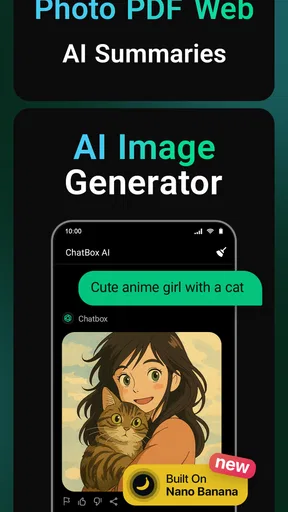
For a casual user, the main question is whether having AI chat and generation tools together makes daily tasks easier enough to justify another app and, potentially, a purchase. For a frequent user, I’d pay attention to the quality of follow-up answers and how smoothly the app fits existing habits. Either way, I would start with low-risk prompts, check the options on screen, and decide based on actual use rather than promises about what an assistant might do.
Final Thoughts
In conclusion, ChatBox: AI Chat Bot Assistant is a fantastic tool that can significantly improve your productivity and make day-to-day life a little easier. Whether you’re managing a hectic schedule or just need a friendly AI to chat with, this app is definitely worth a try.
So, what are you waiting for? Give ChatBox a shot and see how it can transform your digital experience. You might find it becomes an essential part of your daily routine, just like it has in mine.
My cautious verdict
I see the strongest case for this app in quick, low-stakes help: shaping a message, exploring ideas, or getting an explanation in a conversational format. Its broad appeal is the chance to handle varied prompts without committing to a single narrow task. The flip side is that convenience does not remove the need to verify answers, protect sensitive details, and check what any paid option actually offers.
If I were recommending it to a friend, I’d say try it for ordinary tasks, keep private information out of prompts until you are comfortable with the app’s visible controls, and compare it with the specialist tools you already use. If that process saves time without encouraging you to trust unverified output, it may earn a place in your routine. If you need certainty, automation, or rigorous source checking, a dedicated alternative is likely the better fit.
Verdict
Strengths of ChatBox: AI Chat Bot Assistant
- Intuitive and user-friendly interface.
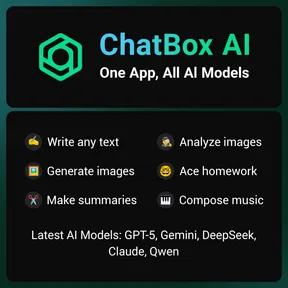
- Wide range of AI-driven responses.
- Quick response time for queries.
- Customizable settings for personalization.
- Supports multiple languages seamlessly.
Limitations of ChatBox: AI Chat Bot Assistant
- Occasional repetitive responses.
- Limited offline functionality.
- Subscription required for premium features.
- Some answers lack depth.
- Requires stable internet connection.
Similar Picks in This Category
View All
Google Calendar
Google LLC4.6

Google Drive
Google LLC4.3

Google Assistant
Google LLC3.9

Microsoft OneDrive
Microsoft Corporation4.6

Samsung Calendar
Samsung Electronics Co., Ltd.4.1

Microsoft OneNote: Save Notes
Microsoft Corporation4.6
Frequently Asked Questions
What features does ChatBox: AI Chat Bot Assistant offer?
ChatBox provides a range of features designed to enhance user interaction, including real-time conversation capabilities, personalized responses, and support for multiple languages. Additionally, it offers integration with various apps to streamline tasks such as scheduling and reminders. The AI continuously learns from interactions to improve its accuracy and relevance.
How does ChatBox ensure user privacy and data security?
ChatBox prioritizes user privacy by employing advanced encryption methods to protect conversations and personal data. It adheres to strict privacy policies and does not store messages. Users have control over their data, with options to delete conversation history and manage permissions for app integrations.
Is ChatBox compatible with both Android and iOS devices?
Yes, ChatBox is designed to be compatible with both Android and iOS platforms. The app is available for download on Google Play Store and Apple's App Store, ensuring a seamless experience across different devices. Regular updates are provided to maintain compatibility with the latest operating systems.
Can ChatBox be used without an internet connection?
ChatBox requires an internet connection to function optimally as it relies on cloud-based AI for real-time interactions and updates. However, some basic functionalities may be available offline, but for the best experience, including personalized responses and app integrations, an active internet connection is necessary.
What are the subscription options available for ChatBox?
ChatBox offers a free version with basic features and a premium subscription that unlocks advanced functionalities. The premium version includes features like ad-free usage, priority support, and enhanced customization options. Users can choose from monthly or annual subscriptions, with a free trial available to explore premium features before committing.
